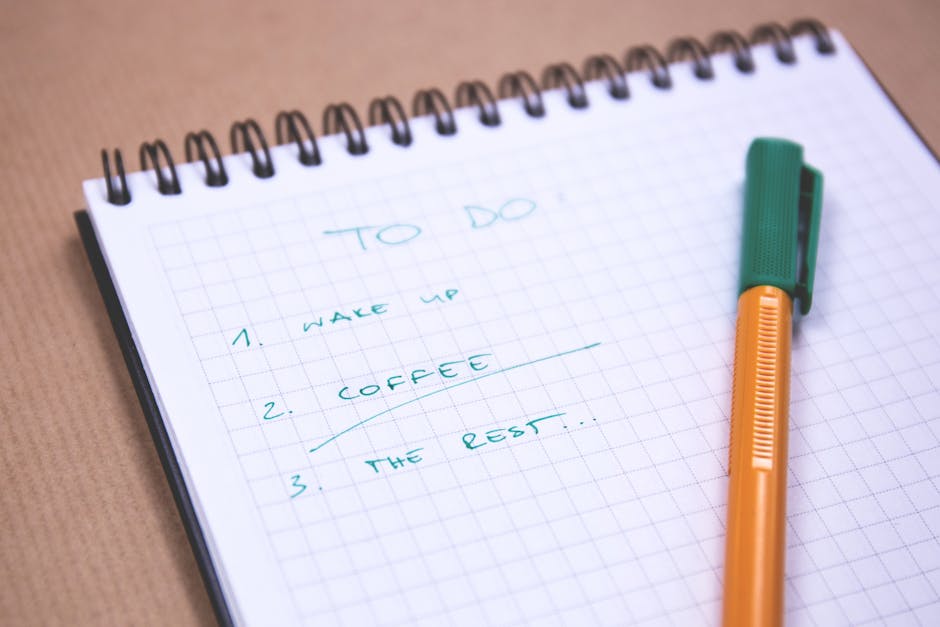
It’s a typical Wednesday afternoon, and my desk is cluttered with half-opened tabs on my browser, each one a reminder of the small admin tasks that have crept into my day. I sit down for a brief planning reset, glancing at my calendar block marked for focused work. The intention is clear: tackle the top three tasks that have been waiting for my attention. Yet, as I prepare to dive in, a reminder popup steals the next ten minutes, pulling me away from the real work I had planned. This cycle of task switching feels relentless, and I can’t help but notice how these interruptions crowd out my mindful creative time.
As I sift through my notes, I realize that I’ve skipped a crucial step in my desk planning routine. I haven’t muted notifications or closed unnecessary tabs, leaving distractions lurking just a click away. The clutter on my screen mirrors the chaos in my mind, making it difficult to prioritize effectively. Without a clear setup, the next useful action—rewriting my top three tasks—remains buried under the setup clutter. This friction not only derails my focus block but also highlights a missed opportunity to create a more conducive environment for my creative workflow.
The Routine That Should Flow
Before I can settle into my focused work session, I glance at my calendar block, where I’ve allocated a solid hour for deep creative thinking. The screen shows a bright green block marked ‘Creative Work’, but the browser tab row is cluttered with reminders and admin tasks that have crept in. I can see a notification window flashing for an email I haven’t read, and I know that if I don’t mute it now, it will pull my attention away as soon as I begin. This moment feels crucial; the intended sequence of tasks should flow seamlessly into my focus block, but distractions are already lurking.
As I prepare to dive into my top three tasks, I realize I need to take a moment for desk planning. I close the tabs related to small admin tasks, which have a way of crowding out my real work. Each click to close those tabs feels like a small victory, but I also need to check my notification settings. I mute the notification window, ensuring that the only sound I hear will be the soft click of my keyboard. With the distractions minimized, I can now return to my task list, which is still waiting for a rewrite. This adjustment not only clears my screen but also sets the stage for a productive focus block, allowing me to engage deeply with my creative work without the friction of interruptions.
Where the Flow Breaks First
During a typical weekday moment, I sit down at my desk, ready to tackle my top three tasks for the day. However, as I glance at my browser tab row, I notice a few tabs open for small admin tasks that I had intended to complete later. These tasks, while seemingly minor, begin to encroach on my planned creative time. Each tab is a reminder of unfinished business, pulling my attention away from the deeper work I want to engage in.
As I prepare to dive into my focus block, I realize that the constant notifications popping up from those admin tabs are the first visible sign of drift. A reminder popup just stole ten minutes of my time, and I can feel my energy waning. The small tasks, like responding to emails or checking invoices, create a mental clutter that disrupts my workflow habits. I know I need to address this before I can fully commit to my creative session.
To regain control, I take a moment to mute all notifications. I click through my settings, ensuring that the only sound I hear will be the soft click of my keyboard as I type. Next, I close the tabs related to those small tasks, which allows me to clear my screen and my mind. This action not only minimizes distractions but also sets the stage for a more productive focus block. However, I realize that I still need to rewrite my task list, as the adjustments I’ve made have shifted my priorities. The top three tasks are still waiting for clarity, buried under the setup clutter of my desk planning.
In this moment, the friction of small admin tasks and notifications has revealed the initial point of failure in my planned routine. If I don’t address this snag now, I risk losing the momentum I’ve built. The next step is clear: I must prioritize my tasks anew and ensure that my environment supports my focus rather than detracts from it.
Why This Failure Keeps Happening
During a typical weekday moment, I sit at my desk, staring at the browser tab row filled with small admin tasks. Each tab represents a minor responsibility: responding to emails, scheduling social media posts, and updating my portfolio. These tasks, while necessary, often take precedence over the creative work I genuinely want to focus on. As I prepare for a focus block, I can feel the pull of these distractions. I know I should be diving into my writing project, but the allure of quickly checking off these minor tasks is hard to resist.
Just as I’m about to commit to my main task, a reminder popup appears on my screen, stealing ten precious minutes. This interruption not only disrupts my train of thought but also leads to a cascade of task switching that dilutes my focus. I find myself toggling between the reminder and my calendar, trying to reschedule my writing session. The hidden cause of this breakdown is the clutter of these small tasks that crowd out the real work. To regain control, I need to take a moment to close those distracting tabs and rewrite my top three tasks, ensuring that my creative work is prioritized. By doing so, I can create a clearer path for my focus block, but the tradeoff remains: the admin tasks will still linger, waiting for my attention once I finally settle into my writing rhythm. A Simple Correction to Shift the Weak Point Before diving into a focus block, taking a moment to reset your workspace can significantly enhance your productivity. Small distractions often creep in, like a browser tab filled with admin tasks that demand attention. When I sit down at my desk, I can see the clutter of open tabs on my screen, each one a potential interruption. A quick glance reveals a reminder popup that could easily steal another ten minutes if I let it. Here are three specific actions to take:
- Mute all notifications on your devices to eliminate potential disruptions.
- Clear your physical desk space, removing any non-essential items that could distract you.
- Rewrite your top three tasks for the upcoming focus block, ensuring they align with your energy levels.
By muting notifications first, I create a barrier against interruptions. Then, I clear my desk of unnecessary clutter, leaving only my notebook and a pen. Finally, I take a moment to rewrite my top three tasks on a sticky note, placing it directly in front of me. This simple act not only prioritizes my creative work but also makes it visually accessible, reducing the chance of task switching once I start my session. The admin tasks will still be there waiting, but I can now approach my focus block with clarity and intention, minimizing the risk of getting sidetracked by minor tasks.
A Quick Check That Prevents More Drift
If this pattern keeps repeating, Managing Energy Not Time extends the idea without leaving the niche.
During a quick planning reset, I often find my browser tab row cluttered with reminders and admin tasks that threaten to derail my focus. A single reminder popup can steal ten minutes, pulling me away from the real work I intended to tackle. Before diving into my next focus block, I need to ensure that my workspace is primed for productivity, not distraction.
To combat this, I start by muting all notification windows across my devices. This simple action creates a buffer against interruptions, allowing me to maintain my attention on the tasks that matter. Next, I pull out a sticky note and rewrite my top three tasks, placing it directly in front of me on my desk. This visual cue not only helps prioritize my creative work but also serves as a reminder to resist the urge to switch to those smaller admin tasks that can easily creep in. By establishing this quick check, I can better navigate my focus block without getting sidetracked by the clutter of my digital workspace.
What Changes Once That Fix Repeats
This same friction shows up again in Focus Without Burnout, especially when the day tightens unexpectedly.
After muting all notification windows, my workspace transforms into a focused environment. The absence of pings and alerts allows me to dive into my next focus block without the usual distractions. Instead of glancing at my phone or checking my email, I can now concentrate on the tasks I’ve prioritized on my sticky note. This simple adjustment leads to a noticeable difference in my workflow. I find that I can complete a task in a single session rather than getting pulled into a cycle of task switching.
During my next planning reset, I notice that I’m less likely to be sidetracked by small admin tasks that previously crowded my schedule. The sticky note serves as a visual anchor, reminding me to stay committed to my main objectives. I can easily glance at it while working, which keeps my attention aligned with my creative goals. This clarity not only enhances my focus but also reduces the time spent transitioning between tasks. The next time block feels smoother, as I’m no longer battling the clutter of my digital workspace.
To ensure this momentum continues, I adopt a new routine: before I start any work session, I take a moment to review my top three tasks and adjust them if necessary. This quick check helps me stay agile, allowing me to shift priorities based on energy levels or deadlines. By repeating this practice, I’m cultivating a more mindful approach to my creative time, where each session builds on the last, free from the interruptions that once derailed my focus.
As I sit at my desk, the browser tab row filled with reminders and tasks, I realize that the small admin tasks can easily derail my focus. Each reminder popup, like a persistent notification, steals precious moments that could be dedicated to my main work. The clutter of my digital workspace becomes a barrier to entering a productive focus block. I need to ensure that I prioritize my top tasks and eliminate distractions before diving into a creative session.
Before I open more tabs or check my email, I take a moment to rewrite my top three tasks on a sticky note. This small action serves as a tangible reminder of what truly matters during my work session. By keeping this note visible, I can quickly realign my attention and avoid the trap of task switching that often leads to wasted time. The next step is to mute all notifications for the duration of my focus block, creating a clear boundary that protects my creative time from interruptions.